Code to open programming hub: FAFH—BirchBayLake-CODERS🐇🦆🐔🦜🐹
💻 Claim Coder Coupons
Enter your coder coupon:
🐇🦆🐔🦜🐹 FAFH Coding Hub
Welcome, coder! You’ve unlocked the secret coding area.
🐰 Bunny Example
🦆 Duck Example
🐔 Chicken Example
👩🏾💻 Coding Lessons
👩🏾💻 Coding Lessons — HTML, CSS, JS!
🐰 Coding Lesson: Beginner Bunny
Welcome, Beginner Bunny! Today you’ll learn some very simple HTML.
🌱 Lesson 1: Making Text
<h1>Hello Bunny! 🐰</h1>
<p>Welcome to (Place)!</p>
Hello Bunny! 🐰
Welcome to (place)!
🥕 Lesson 2: Making a List
<h2>My Favorite Foods</h2>

<ul>
  <li>Carrots</li>
  <li>Lettuce</li>
  <li>Parsley</li>
</ul>
Bunnies Favorite Foods List
- Carrots
- Lettuce
- Parsley
🐾 Lesson 3: Making a Button
<button>Feed Bunny</button>
🥬 Lesson 4: Making a Bunny Card
<h2>🐰 Daisy 🌼</h2>
<p>Age: 2</p>
<p>Favorite Food: Carrots</p>
🐰 Daisy 🌼
Age: 2
Favorite Food: Carrots
🦆 Coding Lesson: Duckling Developer
Welcome, Duckling Developer! Today you’ll learn a few more HTML skills.
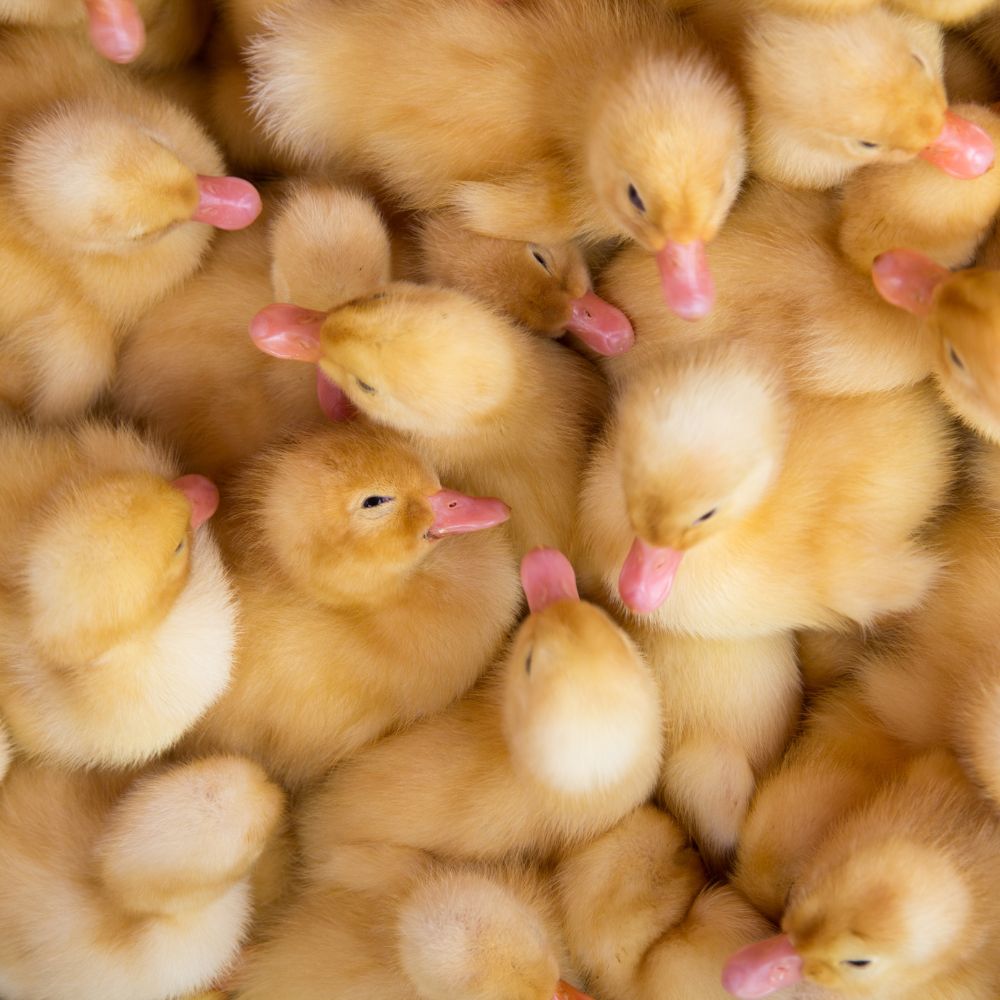
🌊 Lesson 1: Add a Picture
<img src="https://thefrugalchicken.com/wp-content/uploads/2023/04/Ducklings-min.jpg" alt="Cute Ducklings" width="200">
🪺 Lesson 2: Make a Link
<a href="https://maplechamp.ca">Visit Duck Pond</a>
🦆 Lesson 3: Create a Duck Profile
<h2>🦆 Fluffy</h2>
<p>Age: 1 month</p>
<p>Favorite Activity: Swimming</p>
🦆 Fluffy
Age: 1 month
Favorite Activity: Swimming
🌟 Lesson 4: Add Color
<h1 style="color:gold;">Golden Duckling</h1>
Golden Duckling
🏞️ Lesson 5: Create a Pond Section
<div>
  <h2>🌊 Duck Pond</h2>
  <p>The ducklings love to splash here!</p>
</div>
🌊 Duck Pond
The ducklings love to splash here!
🐹 Coding Lesson: Hamster Hacker
Welcome, Hamster Hacker! Today you’ll learn your first bit of JavaScript.
🌻 Lesson 1: A Clickable Button & 🥜 Lesson 2: Change Text
<button onclick="alert('Squeak!')">
  Feed Hamster
</button>
<p id="food">No snack yet!</p>

<button onclick="document.getElementById('food').innerHTML='🥜 Hamster got a peanut!'">
  Give Peanut
</button>
No snack yet!
🏃 Lesson 3: Hamster Exercise Counter
<p id="laps">Laps: 0</p>

<button onclick="addLap()">
  Run Wheel
</button>

<script>
let laps = 0;

function addLap() {
  laps++;
  document.getElementById("laps").innerHTML =
    "Laps: " + laps;
}
</script>
Laps: 0
🏠 Lesson 4: Hamster Home Card
<div>
  <h2>🐹 Nibbles</h2>
  <p>Favorite Food: Sunflower Seeds</p>
  <p>Favorite Hobby: Wheel Running</p>
</div>
🐹 Nibbles
Favorite Food: Sunflower Seeds
Favorite Hobby: Wheel Running
🐔 Coding Lesson: Chicken Coder
Welcome, Chicken Coder! Today you’ll learn how to make webpages react and update automatically.
🥚 Lesson 1: Count Eggs
<p id="eggs">Eggs: 0</p>

<button onclick="collectEgg()">
  🥚 Collect Egg
</button>

<script>
let eggs = 0;

function collectEgg() {
  eggs++;
  document.getElementById("eggs").innerHTML =
    "Eggs: " + eggs;
}
</script>
Eggs: 0
🐣 Lesson 2: Hatch a Chick
<p id="chick">🥚 Egg</p>

<button onclick="hatch()">
  Hatch
</button>

<script>
function hatch() {
  document.getElementById("chick").innerHTML =
    "🐣 Chick";
}
</script>
🥚 Egg
🌽 Lesson 3: Feed the Chickens
<p id="status">🐔 Hungry</p>

<button onclick="feed()">
  Feed Corn
</button>

<script>
function feed() {
  document.getElementById("status").innerHTML =
    "🐔 Happy";
}
</script>
🐔 Hungry
⏰ Lesson 4: Show the Current Time
<p id="time"></p>

<script>
document.getElementById("time").innerHTML =
  new Date().toLocaleTimeString();
</script>
🦜 Coding Lesson: Parrot Programmer
Welcome, Parrot Programmer! Today you’ll learn how to make your webpage talk, repeat messages, and interact with users.
🗣️ Lesson 1: Make a Parrot Speak
<p id="parrot">🦜 Hello!</p>

<button onclick="talk()">
  Talk
</button>

<script>
function talk() {
  document.getElementById("parrot").innerHTML =
    "🦜 Squawk! Welcome!";
}
</script>
🦜 Hello!
🎤 Lesson 2: Repeat What You Type
<input id="message">

<button onclick="repeatMessage()">
  Repeat
</button>

<p id="output"></p>

<script>
function repeatMessage() {
  let text =
    document.getElementById("message").value;

  document.getElementById("output").innerHTML =
    "🦜 " + text;
}
</script>
🌴 Lesson 3: Change Perch
<p id="perch">🌴 Tree Perch</p>

<button onclick="moveParrot()">
  Fly
</button>

<script>
function moveParrot() {
  document.getElementById("perch").innerHTML =
    "🏠 Bird House";
}
</script>
🌴 Tree Perch
🦜 Lesson 4: Count Squawks
<p id="count">Squawks: 0</p>

<button onclick="squawk()">
  Squawk
</button>

<script>
let squawks = 0;

function squawk() {
  squawks++;
  document.getElementById("count").innerHTML =
    "Squawks: " + squawks;
}
</script>
Squawks: 0
🎨 Lesson 5: Colorful Parrot
<h1 style="color:green;">
  🦜 Tropical Parrot
</h1>
🦜 Tropical Parrot
🛝 Live Html, Css, & JS Playground
Preview:
👥 Community Creations
🏆 Coder of the Week
No winner yet
🥕 Bunny Coins
0
🦆 Duck Tokens
0
🔐 Sign In
Not signed in